Google Chrome is the most-used browser, offering a set of Chrome DevTools with built-in web authoring and debugging tools designed to make life easier for developers. But that’s not all: Chrome’s capabilities can be vastly expanded with thousands of add-ons and extensions that make it possible to perform a variety of tricks, test websites and apps in development, experiment with other fonts and layouts, and generally be a more productive developer. We’ve put together this list of 45 of the most helpful, user-friendly and feature-rich Chrome extensions — designed, of course, with the challenging tasks of developers in mind.
All current ratings listed are accurate as of the most recent update of this post in March 2017. Also, bear in mind that the add-on user reviews are taken directly from Chrome extension pages, so please excuse typos and grammatical errors.
Research your competition and form a plan of attack with these great extensions.
Current Rating: 4.5/5 stars
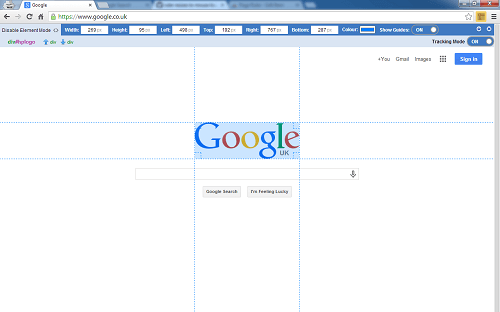
Page Ruler allows you to render a ruler on any web page, providing you with the width, height, and position (top, bottom, left, and right) of any page elements you want to measure. Easily resize or re-position the ruler by dragging its edges or using the arrow keys or manually update the ruler’s size and position from the toolbar for more precise adjustments. Page Ruler also features an “Element Mode,” which outlines elements on a page as you mouse over them. Plus, you can navigate through parents, children, and sibling elements of any measuring element. This Chrome extension has more than 600,000 users, with more than 1,450 contributing to its pretty stellar average rating. For more info, visit the developer’s main website at blarg.co.uk.
Add-on User Review:
by Mohamed Jebali – Modified Jun 9, 2016
Perfect!
Just missing a minor detail. Would be great if it’s preserved on page reload. Sometimes, you make a small change, reload and have to re-click the icon on the toolbar 🙂
Current Rating: 4/5 stars
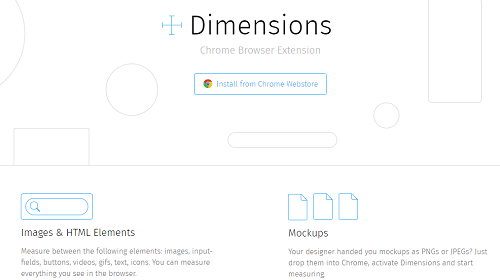
Dimensions is another handy Chrome extension especially useful for designers who need to measure screen dimensions and other elements on a web page. Measure between elements such as images, input fields, buttons, videos, .gifs, text, and icons — essentially, anything you can see in your browser, mockups, area boundaries, and more with Dimensions. This extension is Open Source, hosted on GitHub, and you can also check out the main website.
Add-On User Review:
by Liquid Rider – Modified Nov 4, 2016
As a front end dev this is a must have tool. Incredible work. Clean, simple and reliable. Perfect for static designs to measure padding and margins.
Current Rating: 4.5/5 stars
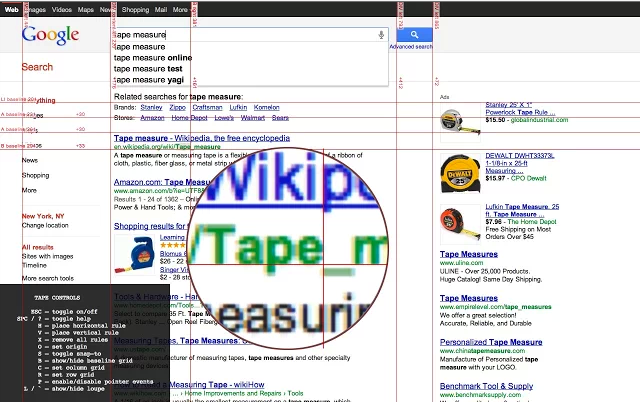
For pixel-perfect web development, Tape is a valuable Chrome add-on that lets you put down guides that snap to your page content and stay securely affixed even if an element moves on a scroll or resize. Easily measure the positions and sizes of any page element with Tape, which offers on-screen help, the ability to display user-defined row and column grids, and even a built-in magnifying glass for maximum precision.
Add-On User Review:
by Curtis Schwoebel – Modified Jun 24, 2013
This is a wonderful plugin for web development. It is simple, easy to use, and accurate. A great tool for anything that has to deal with customer who need things to be pixel-perfect.

Current Rating: 4/5 stars
When you need to identify the font used on a web page but don’t want to deal with Firebug or WebKit Inspector, WhatFont is the quickest and easiest way to do so. Just select the text you want to identify and hover over it with your mouse for instant identification. Check out the main website here.
Add-On User Review:
by Rayna Kuzio – Modified Oct 30, 2016
I’ve compiled quite the list of freshly discovered font styles since I’ve began using this tool!
Here’s how simple it is:
See a font you like? Go ahead and click the ‘WhatFont’ button on your toolbar, hover over any text on the page with the font, and a small bubble pops up beside it displaying the font name. To toggle off, hit the ‘Exit WhatFont’ button that’s up near the top-right corner of your screen.
Current Rating: 4.5/5 stars
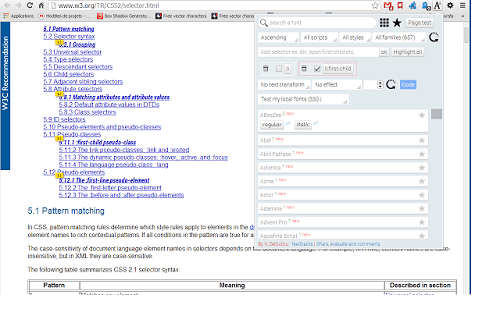
Another helpful font tool, Font Playground makes it possible to experiment with different fonts without actually making changes to your apps or websites. You get access to more than 1,000 free Google web fonts, allowing you to preview what they’d look like in just a few seconds.
Add-On User Review:
by Tim Mackey – Modified Jul 31, 2015
Love the ability to search and favorite fonts. No lag either, unlike other chrome extensions like this!
Current Rating: 4/5 stars
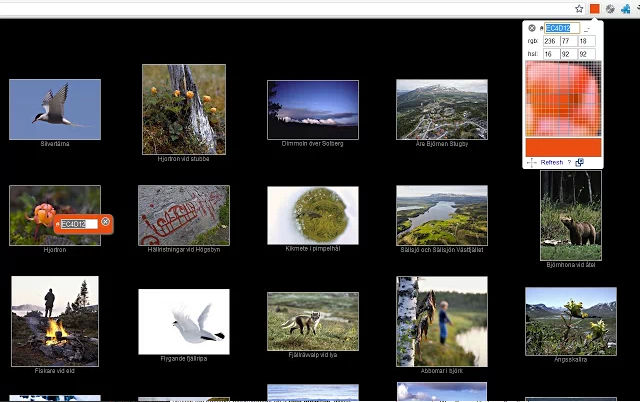
Color Picker is an eyedropper and color picker tool that allows you to quickly grab the color value for any location on a web page. It also features a zoomed, drag-able preview so you can hone in on the precise color you want to grab for pixel-perfect accuracy. This extension attempts to use the lossless PNG quality to detect colors, although it’s possible to disable this feature to use JPEG quality if needed. Pro licenses are available for business users as well. Check out the developer’s main website for more details on features and functionality.
Add-On User Review:
by Exfinity Models – Modified Dec 10, 2016
Works super well!
Would definitely recommend it! I love the interface, simple but organized.It does what it should do, and it does it amazing!Well done!
Current Rating: 4/5 stars
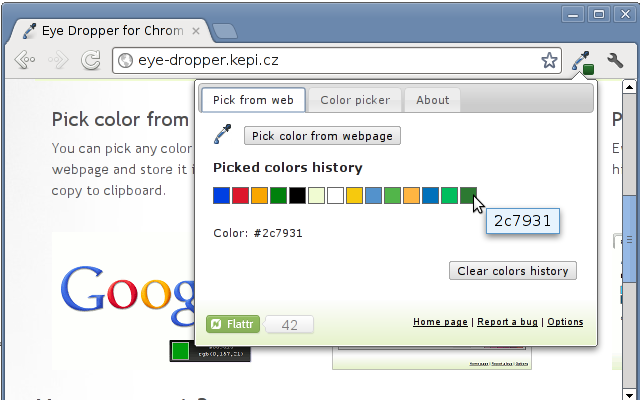
An Open Source extension for easily picking colors from web pages, color picker, and your personal color history, Eye Dropper is a free and convenient extension for Google Chrome and Chromium. Every picked color is stored in your personal history so you can quickly locate any color that you’ve previously used. Check out the main website for more information on this handy tool.
Add-On User Review:
by Ant Svensk – Modified Oct 17, 2016
Quick and Painless. Easy to use. The palette feature is really useful when building sites on a CMS platform.
Current Rating: 4.5/5 stars
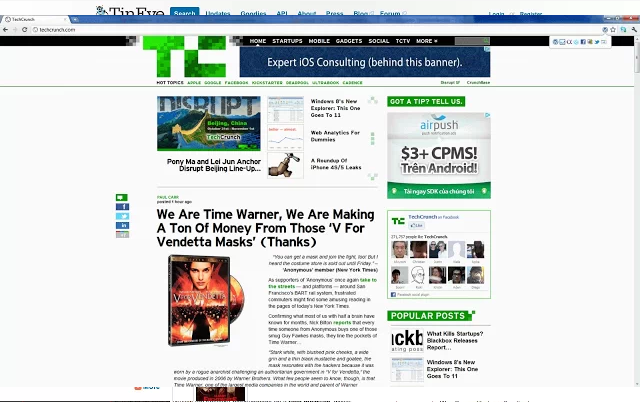
The first reverse image search engine on the web to rely on image identification technology (as opposed to keywords, metadata or watermarks), TinEye makes it simple to quickly find the original source of almost any image. It creates a unique fingerprint for every image searched, then compares it to every other image in the database to find exact matches (not similar matches), including exact matches that have been edited, cropped, or resized. Tens of millions of new images are added every week. Visit the TinEye blog for the latest updates and information.
Add-On User Review:
by Tim mi – Modified Dec 11, 2016
I have no criticism on this app, except that it’s indexing is far from complete. It does, however, do a better job than Search Image by Google for the ones that are indexed. Where Google gets it wrong, this is spot on, every time, without exception.Nice features are that you can sort by image size. It lets you find source images from memes, for example, and in a larger size. It lets you find images of fake facebook profiles’ pictures to report fake spammer profiles and fake posers. (often celebrity pictures used on fake profiles, and FB has a feature where, if you find who it is, you can type it in so they can cross-reference it). This is one area where google fails or has trouble: properly finding similar images of people.
Current Rating: 4.5/5 stars
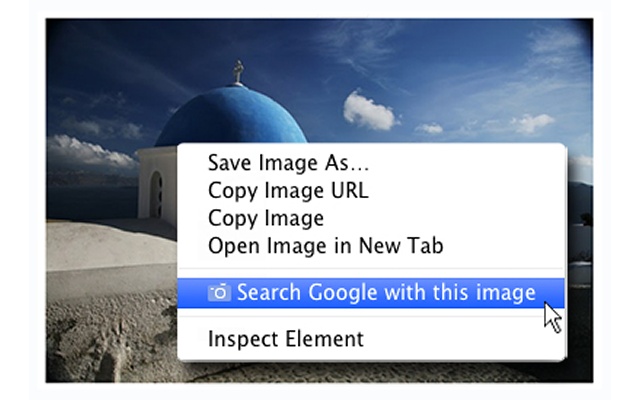
Search by Image is Google’s own reverse image search add-on, enabling you to initiate a Google search using any image on the web. Simply right-click on any image on the web and select “Search Google with this image.” Or, if it’s an extension you’ll use frequently, you can add a clickable Search by Image icon that appears when you point to an image for easier access. Learn more about Google Search by Image here.
Add-On User Review:
by Tim mi – Modified Dec 25, 2016
It is definitely perfectible. I need to use TinyEye Image Search in conjunction with this. The algorythims are different: google seems to use patterns and colors, and often comes up with completely unrelated stuff, whereas TinyEye will find exactly the same image in all it’s iterations, even if a portion of it was changed, cropped, larger versions/originals, and so on. If TinyEye was anywhere near the web coverage/indexing that google is at, I wouldn’t use google at all. But both tools complete each other, and when you have both, you can find anything.
Current Rating: 4.5/5 stars
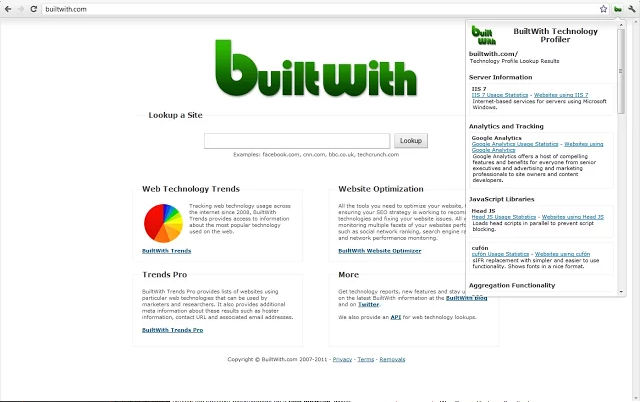
Find out how a website is built with the click of a button thanks to BuiltWith Technology Profiler, a handy website profiler tool that couldn’t be simpler to use. After you click the BuiltWith icon, this extension returns with all the technologies it can find on any web page. Visit the BuiltWith website for more information, where you can also plug in an URL to discover the technologies used on any site.
Add-On User Review:
by Alex A. – Modified Oct 28, 2016
Amazing summary. Goes all the way from the more complicated technologies used all the way down to the oldest ones. Everything gets a link and a brief description too (which you can disable in options). I’m sticking with this one.
Current Rating: 5/5 stars
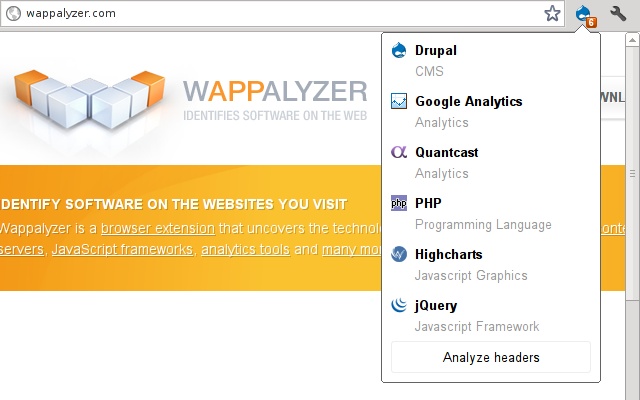
A cross-platform utility for uncovering the technology used to build websites and apps, Wappalyzer is similar to BuiltWith in functionality and earns stellar reviews from users. This extension detects content management systems (CMS), e-commerce platforms, web frameworks, server software, analytics tools, and more. Check out the full list of applications Wappalyzer detects here.
Add-On User Review:
by Mel Pullen – Modified Jan 29, 2017
great tool, more important that it creates a community around web stacks.
Dig in and start developing with these extensions.
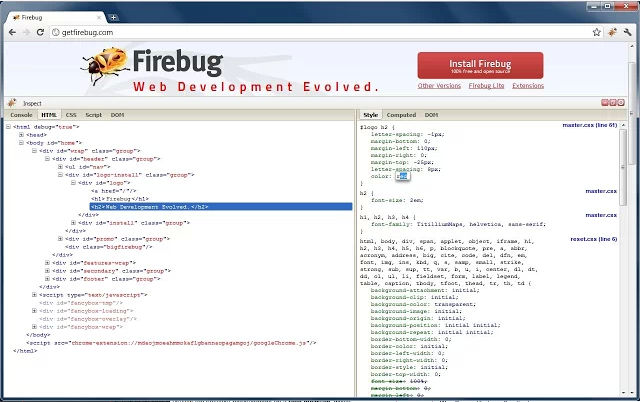
Current Rating: 4/5 stars
Firebug Lite for Google Chrome is supported by Firebug Working Group and allows you to inspect Source Code, HTML, and CSS right in your browser. It’s not a substitute for Firebug or Chrome Developer Tools; instead, it’s designed to be used in conjunction with these tools, offering functionality such as rich visual representations of HTML elements, DOM elements, and Box model shading, as well as the ability to inspect HTML elements with your mouse, live editing CSS properties, and more.
Add-On User Review:
by Dom Ko – Modified Apr 13, 2016
I like this app on Chrome to view my CSS. I just wish there was an option to view the CSS in its original indentation. Does anyone know of a way to do this? (Never mind, Chrome lets me Rite-click -> Inspect -> Source tab, find my CSS file, and I can view my color coded CSS there.) Anyway, I still like.
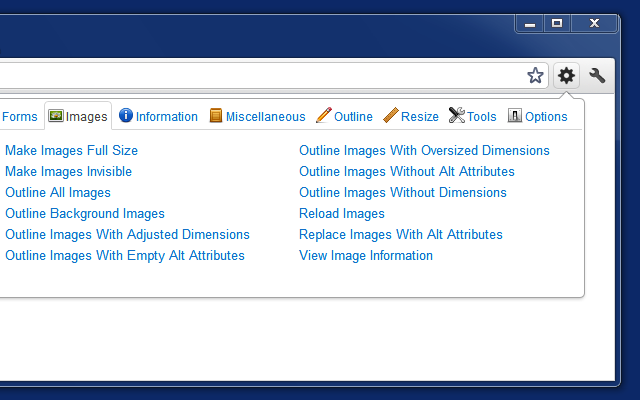
Current Rating: 4.5/5 stars
A toolbar for your browser with a full suite of just about everything you need to look into the elements of a webpage, Web Developer is a must for any developer or programmer. Web Developer is also available for Firefox and Opera, and it will run on any platform these browsers support including Windows, Mac OS, and Linux. A full history of release notes is available here.
Add-On User Review:
by Murray Chapman – Modified Feb 12, 2017
This is a must have for web developers. I have no idea how I ever got along without it. My only gripe is that unlike the Firefox web developer extension, every time I refresh, I lose all of my tweaks such as outline block elements. Firefox version had a setting to make the changes stick and reapply after refreshing which I do a lot when developing. It’s a downer but the plugin is still well worth using. (Ignore the one star ratings below).
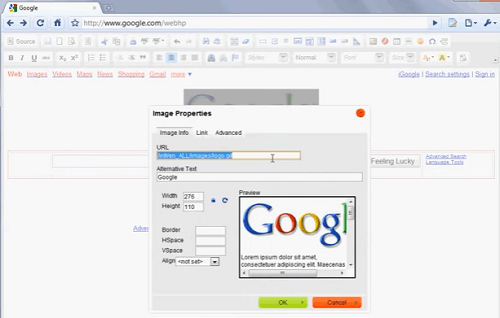
Current Rating: 3/5 stars
Transform your browser into a WYSIWYG HTML editor with Page Edit, which uses CKEditor as a WYSIWYG editor and CodeMirror as a source editor. It offers syntax color highlighting in source editor mode, a basic embedded save dialog, and the ability to edit files stored on HDD. The source code is available on GitHub. Check out this YouTube video illustrating how it works.
Add-On User Review:
by James Tuson – Modified May 19, 2015
AMAZING!!! Simply the best HTML editor I’ve used. So easy! The code it generates is so clean! I love this extension – made editing my basic 1 page intranet site super easy.
Worked for me in both Windows 8.1 and Server 2008 R2 with SP1
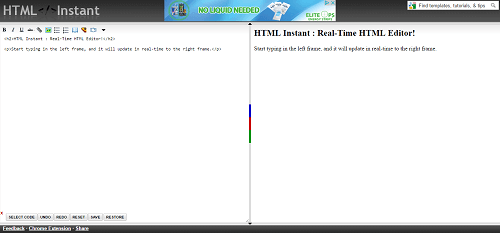
Current Rating: 3.5/5 stars
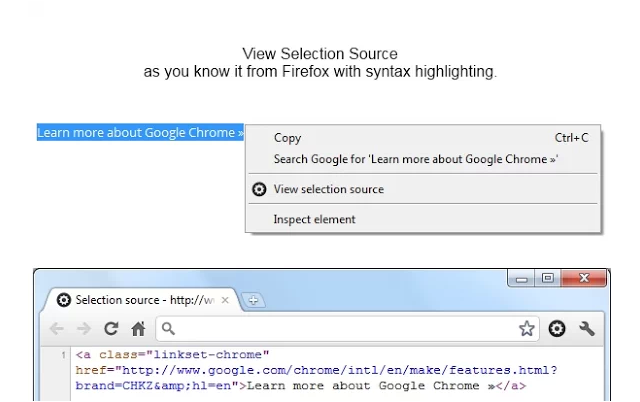
With HTML Instant, you can edit HTML code in real-time. Simply enter your JavaScript, HTML, and CSS code in the left pane and see your changes render instantly in the right pane. It’s a useful tool for on-the-fly editing as well as for coding instruction. See how it works in this YouTube video or check out the main website.
Add-On User Review:
by Cal Kustomz – Modified Nov 28, 2012
Its OK, needs more flexibility. Its a good extension, just need to add more doable working frames so users can edit html and copy good codes from it.
Current Rating: 4.5/5 stars
Pendule extends Chrome’s built-in developer tools with even more information, and it’s loaded with features such as viewing/reloading CSS, disabling styles, converting select inputs to text inputs, showing hidden elements, viewing and editing JavaScript, validating HTML and CSS, and a whole lot more.
Add-On User Review:
by Justin Webb – Modified Feb 1, 2012
Pendule is great. Its UI is pleasant and intuitive and it has all the key features I use a browser for during web design.
My only complaint is “Miscellaneous” is a confusing, non-specific grouping; it takes a little getting used to.
Pendule claims credit as my only web design browser extension. It does everything!
Current Rating: 4.5/5 stars
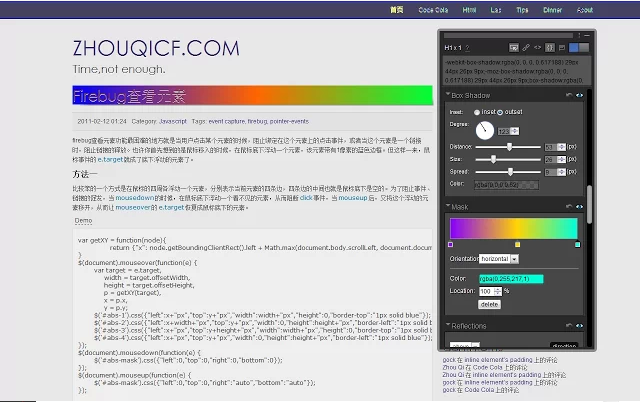
Visually edit a page’s CSS with Code Cola. The source code is available on GitHub. While the last commit was in 2013, reviews as recent as 2015 indicate that this is still a solid tool and one of the best for visually editing CSS.
Add-On User Review:
by Justin Hoffman – Modified Feb 18, 2015
I just spent 30 minutes testing every CSS editor for Chrome.
This was the easiest to figure out, and it works exactly as i wanted it to. Nice UI.
Current Rating: 4.5/5 stars
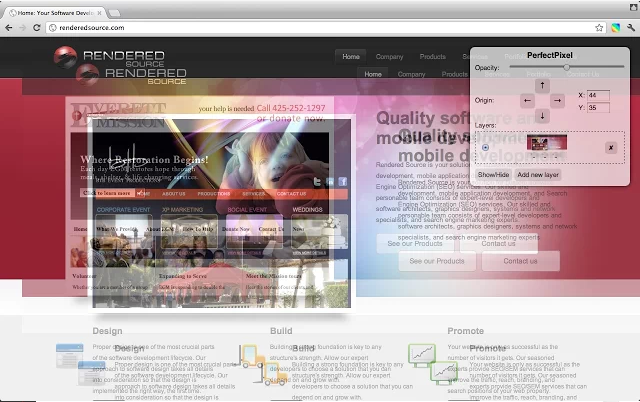
PerfectPixel lets you overlay a semi-transparent image on a webpage to perform a pixel-to-pixel comparison. Useful for both developers and markup designers, this extension makes it possible to develop sites with pixel-by-pixel precision. Check out the main site for this actively updated extension here.
Add-On User Review:
by Елена Семенова – Modified Feb 20, 2017
It’s a great useful plugin for markup!
I improve my markup skills because I can do my work with high accuracy. I compared markup and design by Screenshots and Photoshop before. But 4 years ago I had known about PerfectPixel plugin and its saved me a lot of time. By that plugin, I added a new design and see differences instantly!
I definitely recommended using PerfectPixel the plugin to markup design.
Wipe out your history and erase your footprint with these easy-to-use Chrome extensions for clearing cache and cookies, a useful step if you want to see how your site really looks and works for new visitors.
Current Rating: 3.5/5 stars
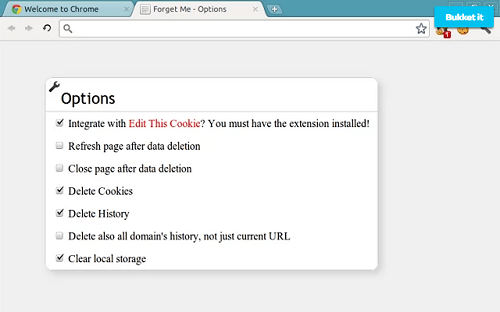
Delete everything about a website, including cookies, history, local and session storage, and every tidbit of information with Forget Me. All it takes is a simple click of the icon to permanently erase any indication that you’ve ever visited a website.
Add-On User Review:
by Bryan Stark – Modified Mar 5, 2017
Despite what other users say, it does delete history and cookies for the specific site you are on at the time that you double-click the icon. It doesn’t delete all history on other sites, it only works on the site you have in your address bar at the time.
Current Rating: 4.5/5 stars
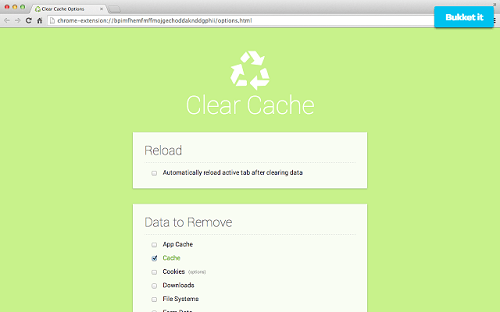
Clear your cache and browsing data with a single click thanks to Clear Cache, all without dealing with frustrating confirmation dialogs, pop-ups, and other annoyances. You can even customize what and how much of your data you want to clear by specifying your preferences on the options page, including App Cache, Cache, Cookies, Downloads, File Systems, Form Data, History, Indexed DB, Local Storage, Plugin Data, Passwords and WebSQL. Even better, you can delete cookies globally, just for specific domains, or for everything excluding specific domains. Check out the developer’s website here.
Add-On User Review:
by Ynnek Thennek – Modified Mar 11, 2016
This works just like it says and it does. It deletes every thing it’s supposed to with one click. I used click and clean before and other privacy extensions, but they do not get rid of everything. I use them and still have chache and some cookies left, but with this, almost everything is gone. The only thing is, it doesn’t get rid of all locally stored data or flash cookies(LSO’s),but I haven’t come across any programs that do on chrome. I just delete them manually. If you want to see what I’m talking about, go to >settings >advanced >privacy >content settings >all cookies and site data, and look at what’s left and click >remove all if you want to get rid of everything else.
Current Rating: 5/5 stars
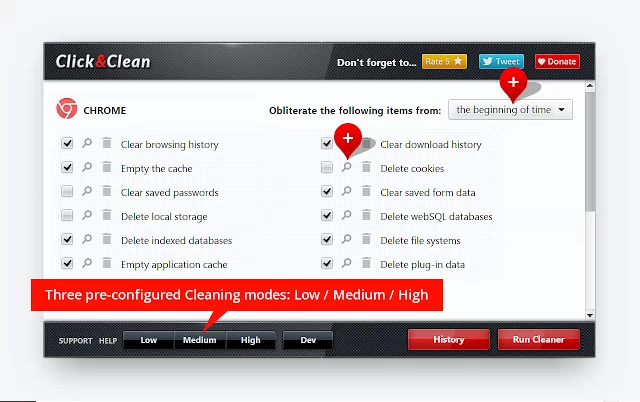
It takes a lot to maintain a perfect 5-star rating in over 45,000 reviews, but Click&Clean achieves this feat. It deletes typed URLs, cache and cookies, and your download and browsing history with a single click. Click&Clean will even delete client-side Web SQL Databases, remove Flash Cookies (LSOs), and more. According to the main website, it’s the #1 private data cleaner for the Google Chrome browser.
Add-On User Review:
by Marcos Valle – Modified Mar 1, 2017
Unobtrusive piece of software which does exactly what it says it will do and does it efficiently. I’m very happy about having added this to Chrome.
Your app or site is ready…or is it? Give these extensions a shot to test everything before you publish.
Current Rating: 4/5 stars
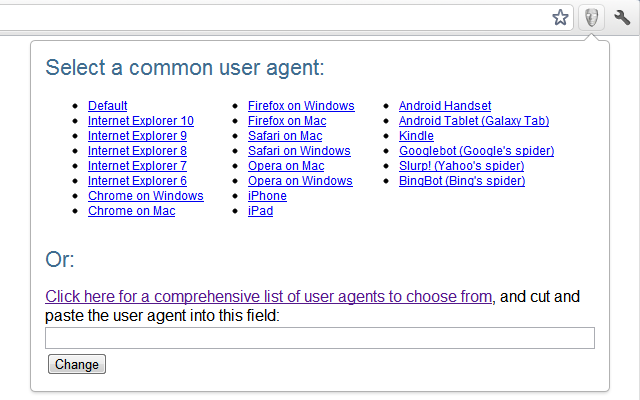
Trick the web into thinking you’re on a different browser or device to see how your app or site performs with User-Agent Switcher, which enables you to spoof Internet Explorer to visit IE-only sites, pretend you’re on your iPhone to experience the mobile version of your site, see how a site renders when it believes you to be Google’s search spider, and more. With a slew of user agents to choose from, User-Agent Switcher allows you to spoof practically any browser or device.
Add-On User Review:
by Michael Miller – Modified May 7, 2014
Works on my CHROMEBOOK C720.
Of the three options available in the Chrome Web Store, this is the ONLY one that lets me use my work’s Outlook Web App in full-fledged glory instead of light mode.
To make it perfect, it needs (like many others have stated):
– Per tab effects, instead of browser-wide.
– Needs a domain-list that we can add sites for auto-applying certain agents upon browsing there.
Current Rating: 4/5 stars
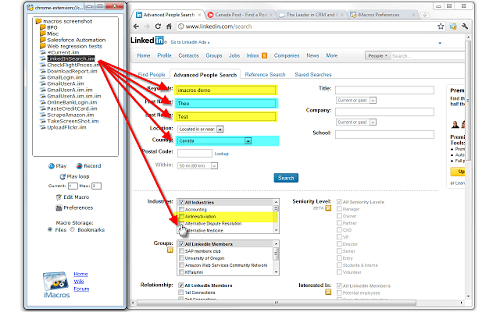
iMacros for Chrome is an extension that streamlines the testing process by allowing you to record and save your actions — saving you the time you’d otherwise spend repeating the same process over and over again. Designed to automate the most repetitious tasks on the web, iMacros for Chrome is sure to save you hours of precious time. Get more info at iMacros.net.
Add-On User Review:
by Andrew Monteith – Modified Nov 23, 2016
There are a few glitches which occasionally prevent it from recording macros properly. Easily fixed by just closing the dialog and re-opening or refreshing the page.
Not a replacement for proper end-to-end testing, but a HUGE time-saver if you’re deving a component that only shows up halfway through a form for example.
Current Rating: 4/5 stars
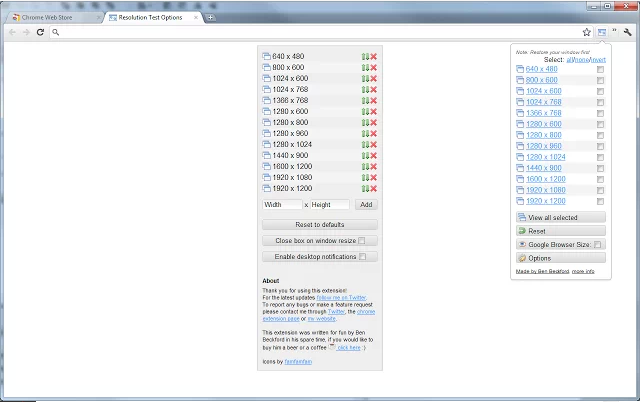
Test how your app or site displays on a wide variety of screen resolutions with Resolution Test. Visit the changelog for a full history of this handy extension, which changes the size of the browser window to enable developers to preview websites in a variety of different screen resolutions. The most common resolutions are offered in a helpful list you can easily choose from, but you can also customize it to preview your site in any resolution.
Add-On User Review:
by Katy LaVallee – Modified Oct 5, 2013
Great for testing responsive sites. Especially like being able to add my own sized to test Bootstrap break points.
Current Rating: 4.5/5 stars
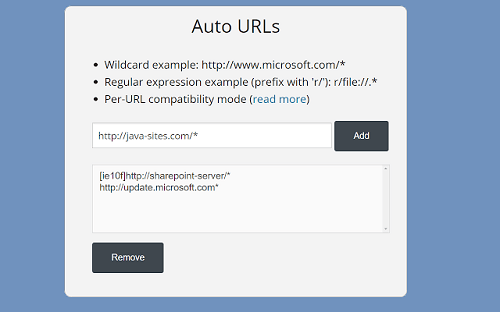
Display web pages by using IE from within Chrome with the IE Tab extension. It works only in Windows, but this helpful extension enables you to use Java, ActiveX, Sharepoint, Silverlight, and more to test your website with different versions of IE without actually leaving Chrome.
Add-On User Review:
by Doug Borg – Modified Feb 19, 2017
Until now, I have declined to make Chrome my default browser because of Chrome’s inferior print preview and print scaling control compared to IE11. Such control is vital to the way I work on a specific company website.
IE Tab with AutoURL solves the problem!
Current Rating: 4.5/5 stars
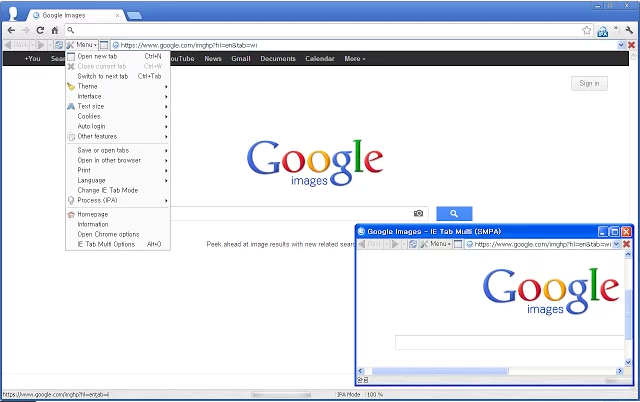
The scourge of every developer’s existence. Check out how your app or site displays in Internet Explorer with IE Tab Multi. It’s the tool producing the most similar results to original IE behavior, also enabling you to run ActiveX controls. It only supports Windows, and in Windows 8 it only supports desktop mode. Check out the main website here.
Add-On User Review:
by Dennis Balla – Modified May 5, 2015
I love this extension for those sites that just don’t play nice outside of IE.
Newest Chrome broke it, until I read about manually re-enabling NPAPI support. Now it works again!
visit:
chrome://flags/#enable-npapi
Current Rating: 4/5 stars
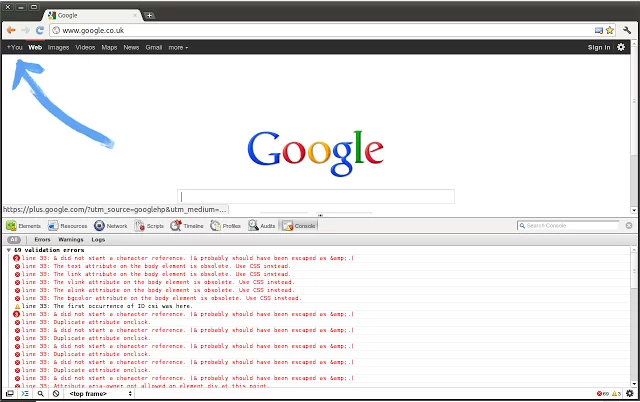
Quickly validate your code by clicking an icon in your browser’s address bar with the Validity extension for Chrome. Simply click on the icon in the toolbar to validate the current HTML document without leaving the page. The source code for this Open Source extension is available on GitHub.
Add-On User Review:
by Jirka Ludvar – Modified Oct 12, 2016
The only validation plugin that works for me for webpages that are not online yet / on a proxy. Works like a charm, thanks.
Current Rating: 4/5 stars
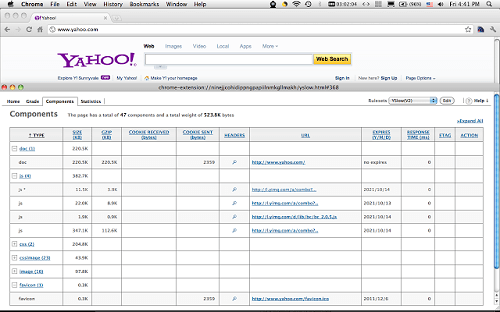
YSlow is a page performance tool that gives you insights on how to make your pages load faster by analyzing web pages and making suggestions based on a set of rules for high-performance web pages. This extension also summarizes page components and displays page statistics, making it a valuable tool for developers. The complete changelog and source code are available on GitHub, and you can get more details on the YSlow website.
Add-On User Review:
by Jason Chen – Modified Feb 2, 2012
I am on a 5 year old laptop. I often got stuck with yahoo pages for minutes with high CPU utilization. This plug-in improves it quite a bit. I am not sure though what it does behind the scene and if there is any feature I may lose.
Current Rating: 4/5 stars
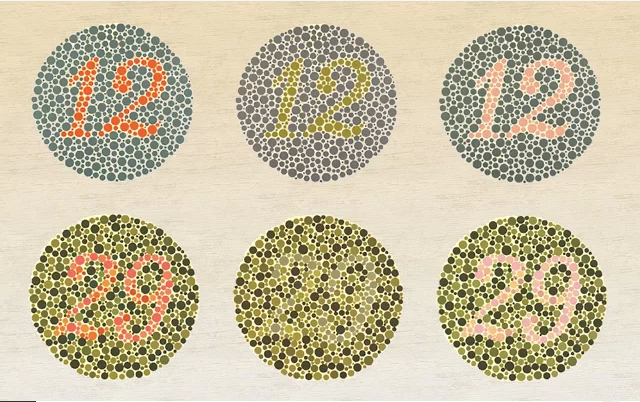
Test your apps and sites for accessibility from the colorblind with Chrome Daltonize! This extension uses Daltonization, which is a technique for making details visible to color-blind users that they wouldn’t otherwise be able to detect. With two different filters, you can visualize how elements appear to people who are color blind or Daltonize elements to make difficult-to-detect details visible. Check out this site for more details about Daltonization and this helpful extension.
Add-On User Review:
by Dylan Martin – Modified Sep 19, 2013
This extension is truly revolutionary for color blind people. I am a Protonope (type of red-green color blind), and I am seeing images with more discernment than I ever have in the past.
This program should be released for the display as a whole, not just for Chrome! It should extend to the entire Color Gamut calibration of the monitor! AMAZING!
Current Rating: 4/5 stars
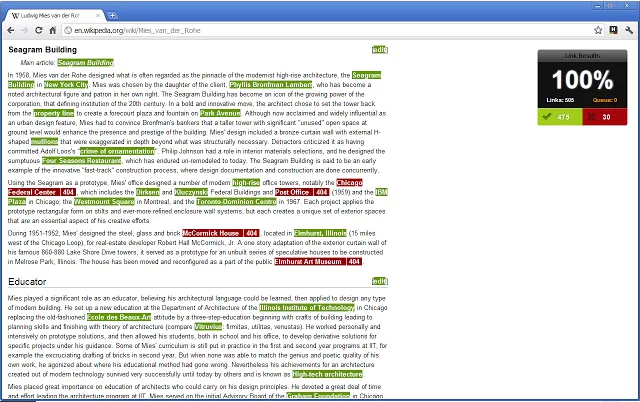
Are all the links on your site working? Check it out with this fast-acting extension. Check My Links is an easy-to-use add-on that crawls your site to check for broken links, developed for web designers, developers, and content editors. The source code for this tool is available on GitHub.
Add-On User Review:
by Spcug Database – Modified Aug 28, 2016
I have just tested a page with twenty links in a few seconds and found no broken links.
Then I tested a ‘favourites’ page with over 850 links in just over a minute and found 40 dead links.
Impressive speed, Top app.
Current Rating: 4/5 stars
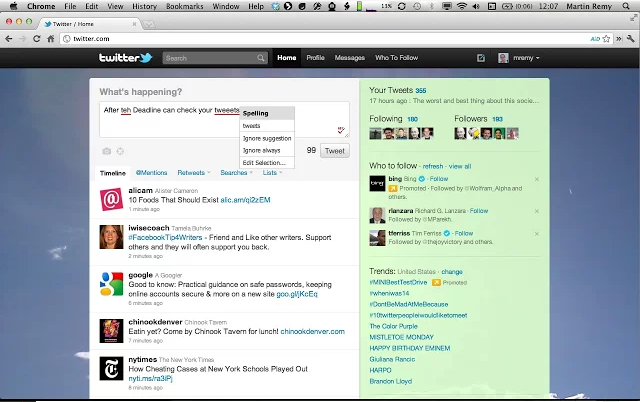
Sometimes you’re too busy worrying about coding and development to worry about spelling, style, and grammar. Let this extension help! After the Deadline uses AI to evaluate your spelling, style, and grammar with a simple click of the ABC icon in the lower-right corner of an editable area. Visit the main website for more info.
Add-On User Review:
by Tony Neria – Modified Mar 29, 2016
I’ve used this extension for many years and it has been a great help to me. However, it makes google sheets unusable in Chromium. Ironically, Google Sheets works fine for me when I’m using the new MS Edge browser. Fix issues with Google Docs and Sheets and it will be great.
Current Rating: 3/5 stars
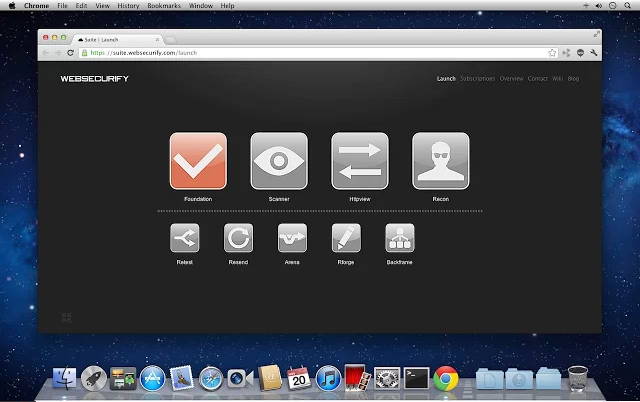
Test your app’s security right in your browser with Websecurify, a powerful, cross-platform web security testing toolkit for developers. This extension is the Websecurify Suite Companion Browser Extension for Google Chrome, and it’s fast, efficient, and easy-to-use for evaluating the security of your websites and apps. Check out the main website here.
Add-On User Review:
by Passlicasci Freenalesko – Modified Jul 21, 2014
Fantastic extension. It does what it says. Most of the tools are not free except Foundation but they are very good.
Stay efficient and on-task with these extensions.
Current Rating: 4.5/5 stars
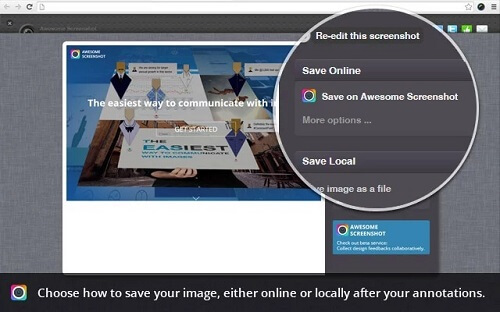
Capture and annotate your screen to better communicate changes you recommend or want to be made with Awesome Screenshot, a fast and easy-to-use extension for quickly grabbing screenshots for anything you want to share or preserve. Grab the full screen or a partial screen, add notes and annotate, make comments, and blur personal or sensitive information before sharing. Check out the main website for this popular extension here, or watch this YouTube video for a demonstration of how it works.
Add-On User Review:
by Ole Albert – Modified Mar 3, 2017
The app name is spot on: Awesome,
…haven’t found anything to criticize, it just works with all the nice features. Very useful for creating step by step user guides with picture directions.
A+
Current Rating: 4/5 stars
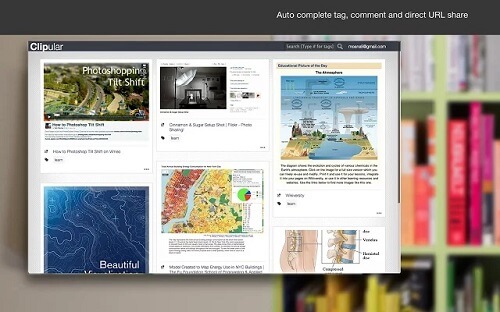
Clipular is another screen-capture extension for Chrome, offering the same easy capture as Awesome Screenshot along with the ability to auto-save your clips in Google Drive. It’s essentially a screen-capture tool plus bookmarking capabilities, making it a useful extension for developers who want to save documentation or gather inspiration from around the web for their next project. Check out the main Clipular website for more info.
Add-On User Review:
by Tom Bonello – Modified Aug 10, 2015
This does exactly what I needed! Double-tap Alt, click+drag the screen area I want captured and then have a few options to share it, including download and backup to Google Drive.
Current Rating: 4.5/5 stars
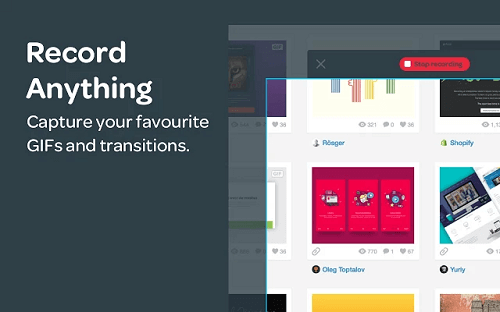
Bukket is a super handy extension for Chrome that enables you to take screenshots as well as screen capture and record. If you need to create a quick tutorial or demonstrate a usability issue, Bukket is the add-on you’ll rely on. A simple, reliable visual bookmarking tool, Bukket makes it possible to capture and record animated GIFs right from your browser. Check out the main site for more details.
Add-On User Review:
by Prithu Goswami – Modified Jan 3, 2017
Its perfect. But the gifs are a little choppy. The best feature itself is that it creates gifs on the run.
Current Rating: 5/5 stars
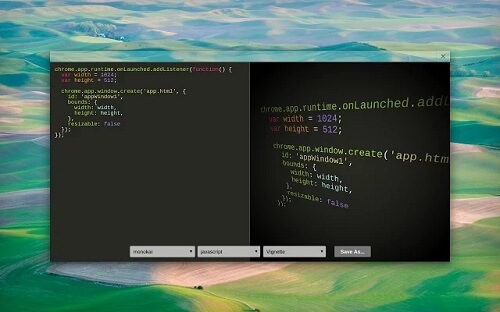
Marmoset makes it possible to create beautiful code snapshots in just seconds, outputting your code for wireframes and markups. Plus, you can add themes and other effects for using snapshots in your portfolio. It’s a simplistic, intuitive add-on that simply does what it says, and it earns a coveted 5-star rating from users for its reliable performance.
Add-On User Review:
by Brynden Bielefeld – Modified Jul 19, 2016
A great tool, have been looking for something like this for a while now.
Giving 5 stars, although the lack of syntax highlighting for C almost brought me down to 4.
One thing I’d like to see in the future, is the ability to change the resolution of the output image, as well as the ability to move the code up/down in the image.
Current Rating: 4.5/5 stars
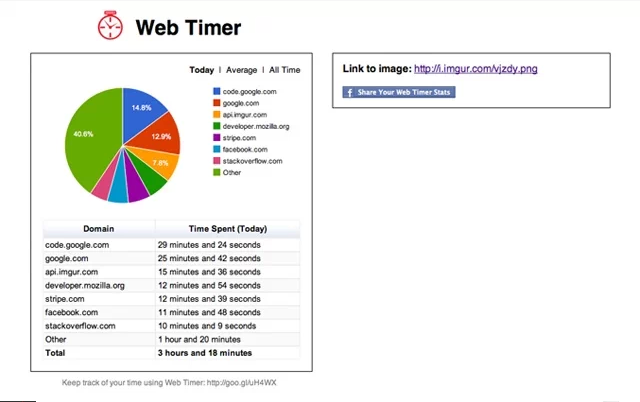
See how you spend your time on the web and how you can improve your focus and efficiency with Web Timer, which tracks the tab you’re actively using and updates every three minutes to give you a clear picture of where you’re devoting (or wasting) the most time. Your data is displayed in an intuitive pie chart so you can easily see where your time is being spent.
Add-On User Review:
by Joseph Hutchins – Modified Jan 25, 2017
I like it, however I’d like to be able to review my long term data better. For example it’d be nice to see how I spent my time for the past month, or the past year.

Current Rating: 4/5 stars
Create dummy text to place inside your sites or apps quickly and easily, avoiding the need to cut and paste the standard lorem ipsum placeholder text repeatedly as you work on mockups and wireframes. Lorem Ipsum Generator aims to keep this process simple and fast compared to similar extensions that serve the same purpose.
Add-On User Review:
by Robyn McKeown – Modified Feb 25, 2013
Makes Lorem Ipsum quickly but sometimes needs refreshing in between uses
Current Rating: 5/5 stars
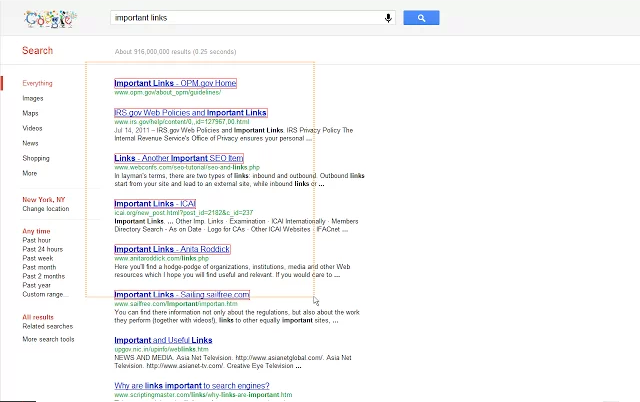
Drag over multiple links to open them all at once in new tabs with Linkclump. Simply drag a selection box around a group of links with your mouse to instantly open them all in new tabs, open in a new window, save as bookmarks, or copy to your clipboard. The source code for this helpful extension is available on GitHub.
Add-On User Review:
by Patrick PK – Modified Dec 16, 2016
This is the extension that gives Chrome the absolute Edge over any other browser out there.
I use this every day with every Google search I perform.
UPDATE:
I STILL LOVE THIS EXTENSION. IT IS THE ABSOLUTE BEST EXTENSION FOR CHROME.
It makes my research on any item so much more effective. THANK YOU!!!
Current Rating: 4/5 stars
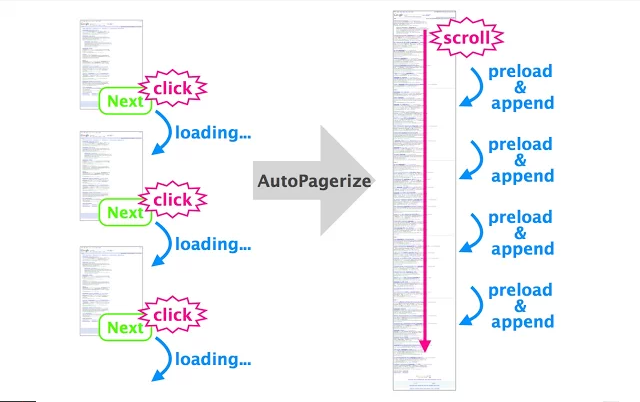
Load paginated pages in one page with AutoPagerize, a handy, straightforward little tool that makes web browsing more efficient.
Add-On User Review:
by A Google User – Modified May 31, 2016
One simply cannot browse the web without this extension; it’s like going to the restroom without toilet paper.

Current Rating: 4/5 stars
Block your access to specific websites that you know will distract you from your work with Website Blocker. If you find yourself wasting time on sites like Facebook and Twitter, this extension will prevent you from accessing the sites that tend to suck your time so you can focus on the work that matters. The wiki for this tool and its source code can be found on GitHub.
Add-On User Review:
by Dayle Gibson – Modified Feb 9, 2017
I mainly use it to block websites I find stupid and I’ve suffered no problems so far but it does need a FAQ, for example, what does the Disable of the time limit function box do? and a password system, also I suggest that it tells us how many websites are being blocked, also when you put the same website address twice in the list, it appears twice
all in all keep up the good work!!!
however it tends to block sites which aren’t on the block list if one of the websites you blocked is mentioned in it
Current Rating: 3.5/5 stars
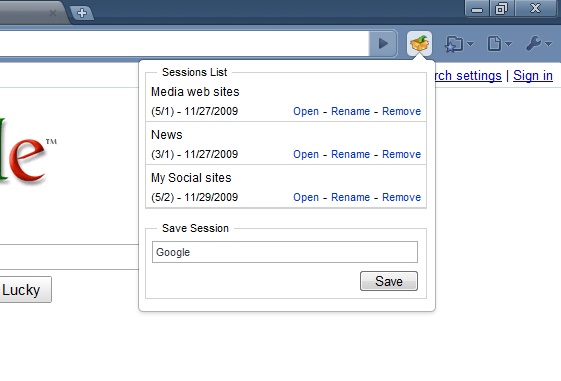
Save sessions to quickly view a huge number of tabs you may have open at a later date. With Session Manager, you can quickly and easily save your current browser state at any time, allowing you to instantly bring all your tabs back up again whenever you need them. It’s also helpful for grouping sites together with a similar purpose, such as a collection of your social media profiles, tabs related to certain projects, and the like.
Add-On User Review:
by John Kennedy – Modified Mar 13, 2016
I have tried this one and the Session Manager by tkaz.ec. A blend between these two managers would be better. Both have good features and bad. What I like is I can simply save a session and bring up a new session. I like making different types of sessions like Job, Research, Shopping etc. The problem with this session manager is I cannot be in one session and add a tab to a different session. What I mean by this is I cannot be in the Research session and come across a good shopping site and add it to the Shopping session.
Current Rating: 4.5/5 stars
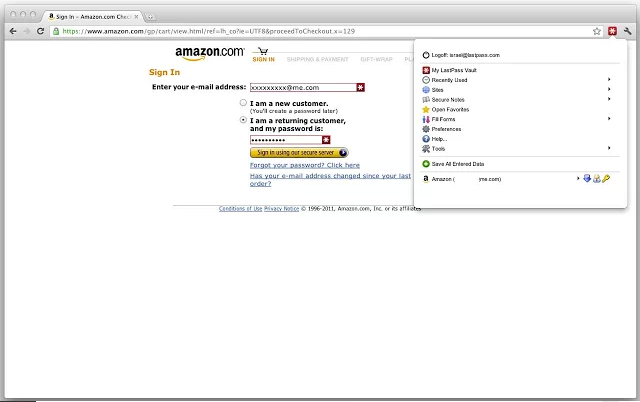
You have a ton of passwords to keep track of, so let LastPass do it for you securely. It’s practically impossible to remember dozens of passwords and login credentials for the many sites the average person needs to use, let alone a developer. Thanks to LastPass, you can remember just one single, secure password and let this extension handle the heavy-duty lifting. Check out the LastPass site for more information.
Add-On User Review:
by Chris L – Modified Mar 5, 2017
been using this app for 6 years; can be annoying with the new 2 factor authentication at times when using public areas. But google does it too; Great time saver, must Pay for use in connection with your phone. NO ADS which is great. there was an issue with compromised passwords a while back but this has been fixed. as for other reviewers, they just don’t understand how it saves passwords, or deals with ‘root domains’ that have multiple logins. In the past the toolbar was crap and needed work but in the past two years they must have hired some new developers because it works great for me, I finally got my grandmother to use it!
Current Rating: 4/5 stars
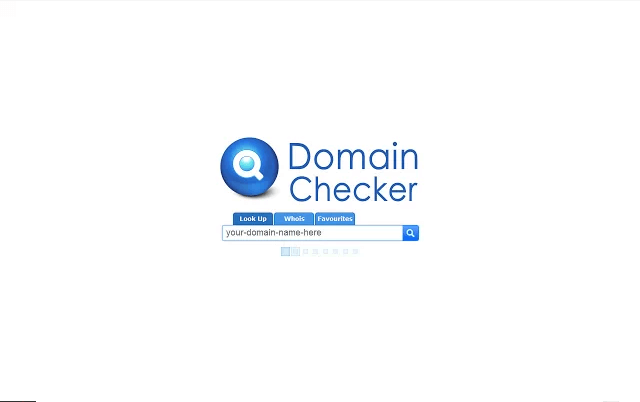
View the availability of a domain right from your toolbar with Domain Checker. It supports a large number of domain extensions, allows you to quickly switch between registrars, and even makes it possible to “favorite” domains. More info at the developer’s site, SEO Heap.
Add-On User Review:
by A Google User – Jul 23, 2011
When you favorite a domain, you will have the option of how often to periodically check the status of the domain. Options are Never (default), Automatically – it’ll detect when the expiry date is and check more often during the expiring period, Week – checks weekly etc.
Current Rating: 4/5 stars
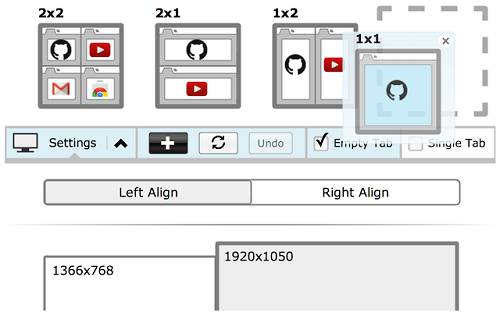
Tab Resize makes working in a split screen easy by enabling you to resize the current tab and tabs to the right in separate windows, plus it offers multi-monitor support. Resize all your tabs and display them in organized layouts on your screen to simulate multi-monitor setups with this easy-to-use extension. For a demo of how it works in action, check out this YouTube video or visit the main website for more details.
Add-On User Review:
by Tom Davidson – Modified Jan 28, 2016
Awesome, thoughtful design that doesn’t add any complex new UI (like with multiple web views under 1 tab.)
Took me a minute to understand that it populates the new windows with the tabs to the *right* of the current one. The demo should perhaps explain how you can reorder your tabs before resizing to get a particular effect.
Stackify's APM tools are used by thousands of .NET, Java, PHP, Node.js, Python, & Ruby developers all over the world.
Explore Retrace's product features to learn more.

If you would like to be a guest contributor to the Stackify blog please reach out to [email protected]